


Wouldn’t it be great if there was a way to manage the translations of your Pardot emails?
This is a daily woe for the many marketers managing multiple languages in Pardot. I was also in this position in one role, tasked with managing communications from Pardot in 20+ languages – you can count on my sympathy here!
Here’s the good news: there’s one feature you can leverage in Pardot to do the heavy lifting for you. In this post, I will show you how to set up, implement and test your automatically translated email content, so that you will be ready to spread your brand’s message to the world.
Language Prospect Field
First things first, language is not a default Pardot field. This is the first piece of advice I’ve shared in the past: get your custom prospect field set up so you can store each individuals’ language preferences. Choose a dropdown field type to restrict the values available (don’t fancy committing to obscure dialects?).
Building your Translation Catalogue
Dynamic Content works by displaying content variations based on a prospect’s data. Content will display in emails ‘dynamically’ according to which variation matches the prospect’s data.
Navigate to:
(In Classic Pardot) Marketing –> Content –> Dynamic Content
(In Pardot Lightning) Content –> Dynamic Content
Select your newly-created language field from the selection box, ie.:
Variations are based on the value of field: ‘Language’
Populate your default content box – I’m assuming this will be English. Then, keep adding variations for each of your languages. Your dynamic content screen would look something like this:
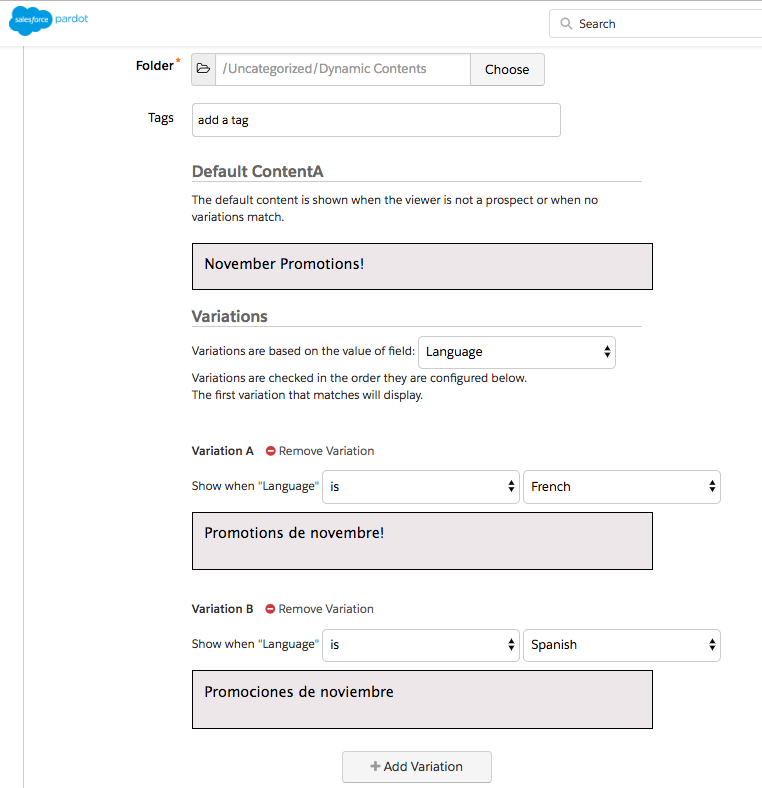
The maximum number of variations is 25 – therefore, you can manage translations into 25 languages with this feature!
What I also like about this approach, is that the original content and translation can be compared side by side for effective proofreading among teams.
Inserting Dynamic Content
Inserting Dynamic Content
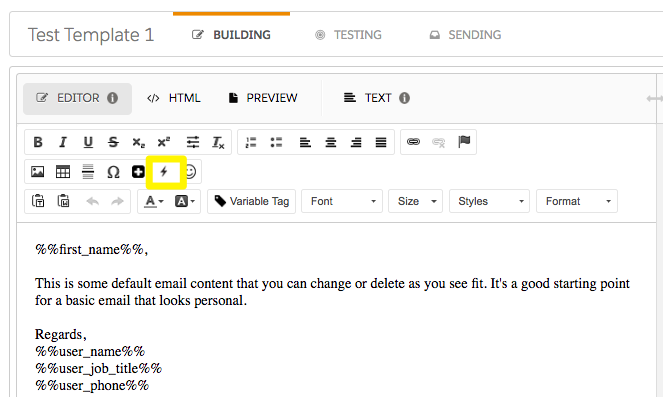
Inserting the dynamic content through the Email Builder is easy; by clicking the Lightning symbol, a dropdown menu appears for you to select from:
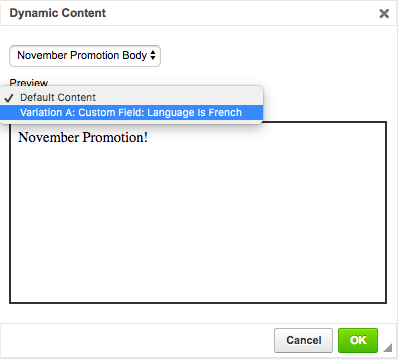
A code (variable tag) referencing the dynamic content will be dropped into your email, which will look similar to this:
%%dynamic_content_657%%
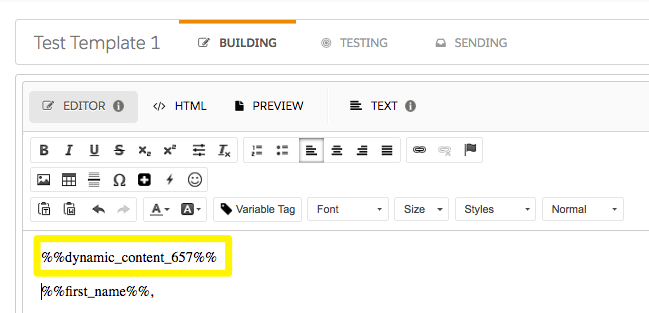
It’s pretty meaningless, so next, it’s time to get down to the testing.
Test, test, test.
Dynamic content must be thoroughly tested before pressing send. Think about it – you are dropping a block of HTML content into a different environment, and you can’t guarantee the content block will play nicely with your email template’s underlying CSS. Running the proper checks will ensure everything is styled correctly and not looking out of place.
You can use the ‘Preview as Prospect’ box for initial testing, to get a quick glance.
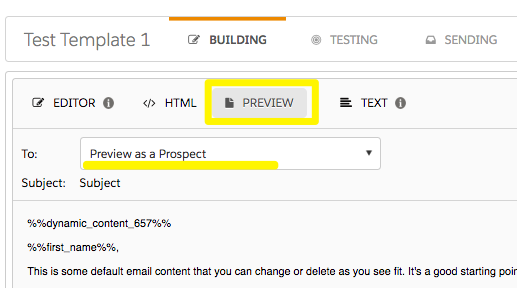
Further testing can be done by creating a test list containing dummy prospects with all languages. If you are a G Suite user, you can use the naming convention name+language@company.com to create dummy prospects in every language, while still receiving those test emails to your inbox. For example: lucy+french@salesforceben.com, will get delivered to my main inbox.
It’s also worth checking prospect data quality for the language field; do this by running a full CSV export of your send list.
Looking Forward: Language Selector
I’m hopeful that Pardot will deliver a language selector feature in the future. After the tool has fully moved on to the core Lightning platform, it’s likely Pardot will continue enhancing Email Builder to boost marketers productivity.
I saw that Salesforce released Service Cloud Language Selector, where service agents can use this component to switch languages swiftly. It brings efficiency and control to the whole process of working in multiple languages. Here’s hoping oether Salesforce cloud products will get their own equivalent to help multi-lingual orgs!